Skip to content
saanjha
For communities

Bring your society onto one shared platform.

A community on Saanjha is your society, colony, campus or village — a boundary that matches where people actually live, with the buying power that comes from acting together.

What a community gets

Coordination, buying power, and a boundary that means something.

A community that matches reality

Apartments and campuses are drawn as a boundary around the actual buildings, not a circle that sweeps in three towers and a market.

Membership you control

Public, geo-restricted, invite-only, approval-based or fully private. Admins approve joins with the context they need to make the call.

Members can belong to more than one

Home, a parents’ group, the community around a store you actually shop at — a member is not forced to pick one.

Sellers and offers specific to you

Trusted sellers and service providers active in your community, plus offers that exist only for it.

Discovery without exposure

People can find nearby communities within a set radius and see a read-only preview — rules, admins, activity — but never the member list or the chat.

Announcements that reach people

Community-wide announcements that land where members already are, rather than a notice on a board nobody passes.
Starting one

A new community starts in forming, not in business.

A community purchase in a six-household community will not fill a lot, will be cancelled, and will burn every member who joined it. So a new community can chat, invite and organise — but community purchases unlock only once enough verified households have joined.

  1. 1

    Create the community — type, name, boundary and join policy.

  2. 2

    Invite neighbours by link, QR poster, contacts or WhatsApp.

  3. 3

    Track progress towards the threshold that unlocks community purchases.

  4. 4

    Sellers and service providers join the community, and it starts working.

It is better to show honest progress than to let a community fail its first purchase.

Privacy

What a neighbour can see, and what they cannot.

Proximity is the entire premise of this product, which makes privacy a design constraint rather than a policy page.

  • A preview is read-only. Rules, admins and activity level are visible before you join. The member list and the chat are not.
  • Contact matching never uploads a contact book. Only salted hashes are used to tell you which of your contacts are already members, and non-members are never stored or messaged.
  • Discovery radius is not the proximity radius. How far you can see is a separate decision from how close you must be to join, and capped by community type.
  • Small communities are protected from counting. Aggregate counters are suppressed below a threshold, because in a twelve-member community a count is a name.

Owners and tenants are both residents

Membership follows where somebody lives, not what they own. Neither is privileged over the other.

Nobody is removed automatically

A member who appears to have moved out is flagged for an admin to ask — never silently removed from the community they built.

In the app

Inviting a neighbour takes one screen.

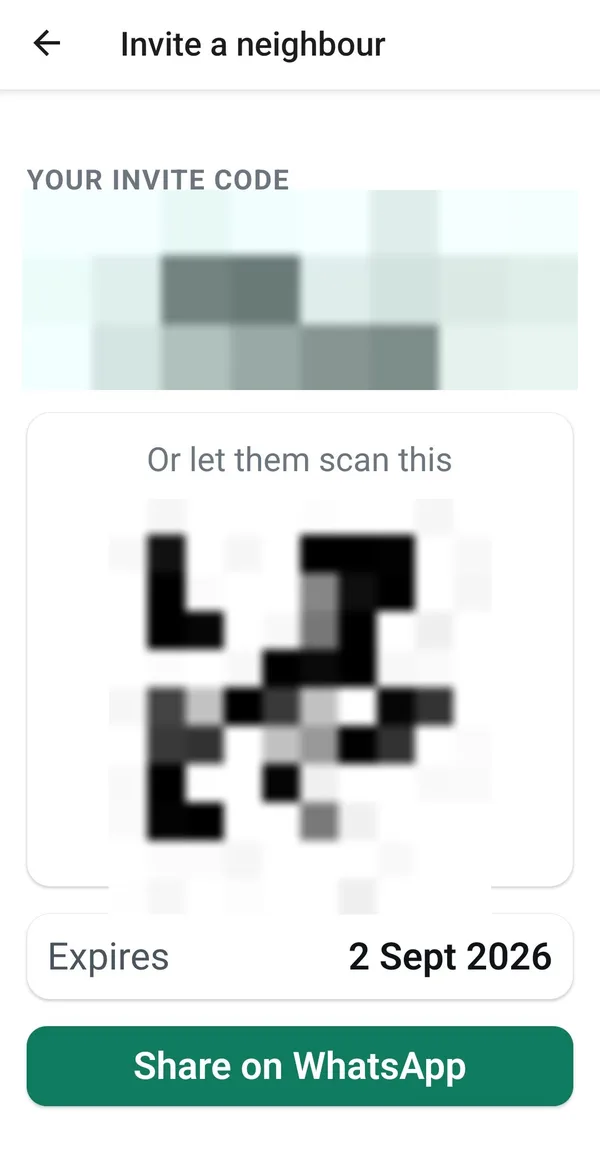
A community grows because a member brings the next one. The code is single-purpose and expires, so an invite that leaks stops working rather than staying open forever.

  • The Invite a neighbour screen, showing an invite code, a QR code to scan, an expiry date and a Share on WhatsApp button. The code and QR are pixelated out.

    Share a code, let them scan a QR, or send it straight to WhatsApp. The code and QR are deliberately destroyed in this screenshot — a real one would let anyone reading this page join that community.

Real screens from the Saanjha Android app. Some content varies by community, and what you see depends on which sellers and services are active where you live.

Start a community, or bring an existing one on.

Tell us about your society, colony, campus or village and where it is. We will come back to you about the pilot in your area.